Business
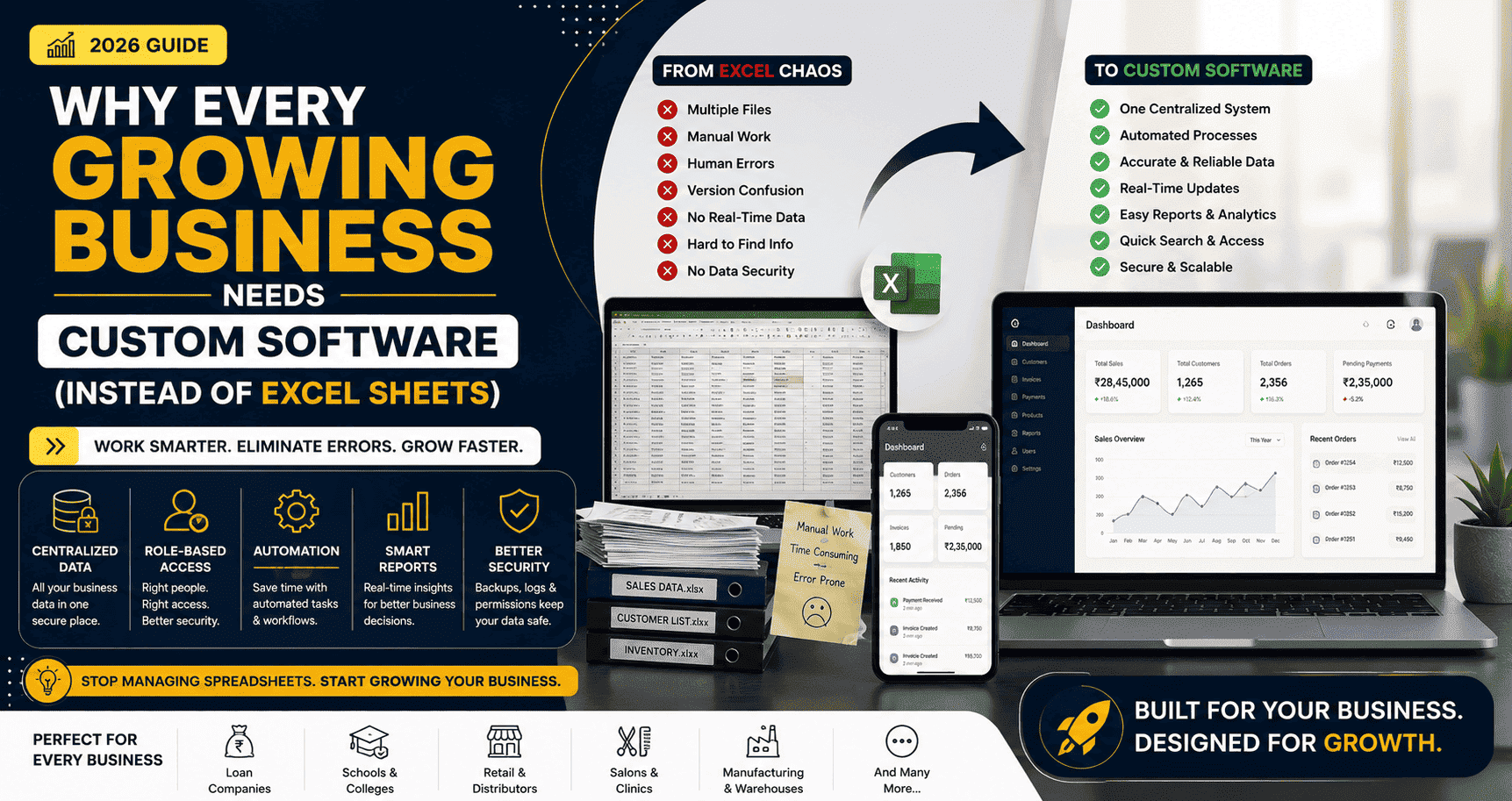
Why Every Growing Business Needs Custom Software (Instead of Excel Sheets)
Excel spreadsheets are great for starting a business, but they aren't designed to support long-term growth. Discover the signs that your business has outgrown Excel and why custom software can improve efficiency, reduce errors, and help you scale.
Why Every Growing Business Needs Custom Software (Instead of Excel Sheets)
When most businesses start, they don't invest in expensive software.
Instead, they use tools that are simple, familiar, and free.
Things like:
- Microsoft Excel
- Google Sheets
- Phone calls
- Notebooks
And honestly, there's nothing wrong with that.
For a small business with a handful of customers, these tools work perfectly.
The problem begins when your business starts growing.
More customers.
More employees.
More orders.
More data.
What once felt simple suddenly becomes difficult to manage.
That's usually the moment when businesses realize they don't have an Excel problem.
They have a growth problem.
Why Excel Works in the Beginning
Excel is one of the most powerful tools ever created.
It's flexible, inexpensive, and easy to learn.
Businesses use it for:
- Customer lists
- Inventory tracking
- Sales reports
- Employee records
- Loan calculations
- Expense management
- Order tracking
For a small team, it's often the right choice.
But Excel was never designed to run an entire business.
The Signs You've Outgrown Excel
Many business owners don't notice the problem immediately.
Instead, they experience small frustrations every day.
Eventually, those frustrations become expensive.
Here are some common signs.
1. Multiple People Are Editing the Same File
One employee updates the spreadsheet.
Another downloads an older version.
Someone accidentally deletes important information.
Now nobody knows which file is correct.
Sound familiar?
2. Manual Data Entry Is Taking Too Much Time
Your team spends hours every day entering the same information repeatedly.
Customer details.
Invoices.
Payments.
Reports.
Inventory.
Manual work not only wastes time—it also increases the chance of human error.
3. You're Constantly Fixing Mistakes
A wrong formula.
A deleted row.
A copied value.
A missing customer record.
One small mistake in a spreadsheet can affect hundreds of records.
4. Finding Information Takes Too Long
A customer calls asking about their previous order.
Instead of answering immediately, someone spends five minutes searching through multiple Excel files.
Now imagine doing that twenty times a day.
5. There Are No User Permissions
Not every employee should have access to everything.
With spreadsheets, it's difficult to control who can:
- Edit data
- Delete records
- View financial information
- Export reports
As your team grows, security becomes increasingly important.
6. Reporting Is Becoming Difficult
Business decisions depend on accurate reports.
Questions like:
- Which products sell the most?
- Which customers haven't paid?
- Which employee handled the most orders?
- How much revenue did we generate this month?
If generating these reports requires hours of manual work, it's time to rethink your process.
7. Your Business Depends on One Person
In many companies, only one employee truly understands the spreadsheets.
If that person is unavailable, work slows down.
Your business shouldn't depend on one individual's knowledge of Excel formulas.
What Custom Software Solves
Custom software is designed around your business—not the other way around.
Instead of changing your workflow to fit a spreadsheet, the software supports the way your business actually operates.
Here's what that looks like.
Centralized Data
Everything is stored in one secure place.
Customers.
Orders.
Payments.
Invoices.
Inventory.
Reports.
Everyone works with the same up-to-date information.
Role-Based Access
Different employees can have different permissions.
For example:
- Admin
- Manager
- Sales Executive
- Accountant
- Data Entry Operator
Everyone sees only what they need.
Automation
Imagine software that automatically:
- Generates invoices
- Sends payment reminders
- Calculates commissions
- Updates inventory
- Creates reports
- Sends WhatsApp notifications
- Emails customers
Instead of doing repetitive work, your team can focus on serving customers and growing the business.
Better Reporting
Need today's sales?
Click once.
Need pending payments?
Click once.
Need monthly revenue?
Click once.
Instead of spending hours creating reports, you get real-time insights whenever you need them.
Better Security
Unlike spreadsheets shared through email or messaging apps, custom software provides:
- Secure logins
- Data backups
- Access control
- Activity tracking
- Encrypted storage
Your business data remains protected.
Real-World Examples
Loan Management Company
Initially, customer records, EMIs, and payment history are maintained in Excel.
As the number of customers grows, tracking repayments, penalties, and overdue accounts becomes increasingly difficult.
A custom loan management system automates calculations, reminders, and reporting.
School
Attendance, fees, exam results, and student records are stored in separate spreadsheets.
Teachers and administrators spend hours updating files.
A school management system centralizes everything in one place.
Retail Store
Inventory is updated manually.
Sometimes products are shown as available when they're already sold out.
Custom inventory software tracks stock levels automatically and provides accurate reports.
Salon or Clinic
Appointments are managed through WhatsApp and phone calls.
Bookings get missed.
Customers forget appointments.
Custom software allows online booking, reminders, customer history, and payment tracking.
Isn't Custom Software Expensive?
This is one of the biggest misconceptions.
Many business owners assume custom software costs a fortune.
In reality, the cost of continuing with inefficient manual processes can be much higher.
Think about:
- Employee hours spent on repetitive work
- Mistakes that lead to financial losses
- Missed business opportunities
- Poor customer experience
- Slow decision-making
Custom software isn't just an expense.
It's an investment in productivity and long-term growth.
When Should You Invest?
Ask yourself these questions.
- Do more than five people use the same business data?
- Are you maintaining multiple spreadsheets?
- Is manual data entry consuming hours every day?
- Are reports difficult to generate?
- Do mistakes happen frequently?
- Are customer records spread across different files?
- Is your business growing faster than your current system can handle?
If you answered "Yes" to several of these questions, your business has probably outgrown Excel.
Start Small
Moving to custom software doesn't mean replacing everything overnight.
Many successful businesses begin with one simple module.
For example:
- Customer Management
- Inventory
- Billing
- Loan Management
- Employee Management
- Attendance
- Appointment Booking
As the business grows, additional features can be added gradually.
This approach keeps costs manageable while delivering immediate value.
Final Thoughts
Excel is an excellent tool.
But it was never designed to run a growing business.
As your company expands, manual processes become slower, mistakes become more frequent, and valuable time is lost on repetitive tasks.
Custom software isn't about replacing Excel because it's old.
It's about giving your business the tools it needs to operate efficiently, make smarter decisions, and continue growing with confidence.
The right software won't just organize your data.
It will help your team work faster, serve customers better, and focus on what matters most—growing your business.

Ankiit Janggid
Technical consultant and developer focused on engineering guidance, APIs, AI, and scalable product delivery.
View profile